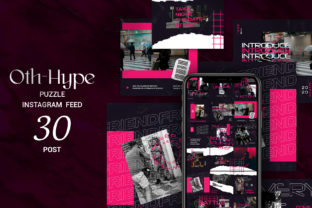
Smart Object Replacement: A Game-Changer for Designers and Creatives
In the fast-paced world of digital design, efficiency and flexibility are key. Whether you're a graphic designer, a marketing professional, or a creative enthusiast, having tools that streamline your workflow can make all the difference. One such tool that has gained popularity is Smart Object Replacement. This feature, available in Adobe Photoshop CS4 and higher, allows users to easily swap out elements within a design without compromising quality or organization. In this article, we'll explore what Smart Object Replacement is, why it's important, and how it can enhance your design projects.
What Is Smart Object Replacement?
At its core, Smart Object Replacement is a feature that enables designers to replace specific elements in a design with new content while maintaining the original proportions, resolution, and layer structure. Instead of manually editing each element, which can be time-consuming and error-prone, Smart Objects allow for non-destructive editing. This means you can update or replace an image or graphic without affecting the rest of the design.
For example, imagine you're working on a promotional poster that includes a product image. If you need to change the product, you can simply replace the Smart Object with a new image, and the design will automatically adjust to fit the new content. This not only saves time but also ensures consistency across your project.
The Benefits of Using Smart Object Replacement
There are several advantages to using Smart Object Replacement in your design workflow:
- Non-Destructive Editing: Unlike traditional editing methods, Smart Objects allow you to make changes without altering the original file. This is especially useful when working with high-resolution images or complex designs.
- Easy Updates: If you need to update a design element, such as a logo or image, you can do so quickly and efficiently without having to rework the entire composition.
- Consistency: By using Smart Objects, you can maintain a consistent look and feel throughout your design, even when making changes to individual elements.
- Layer Organization: Smart Objects help keep your layers organized, making it easier to navigate and manage complex projects.
These benefits make Smart Object Replacement a valuable tool for anyone involved in graphic design, advertising, or digital marketing.
Understanding the Features of a Smart Object Replacement Product
If you're looking to purchase a Smart Object Replacement template or asset, there are several features you should consider. Here’s a breakdown of what you might expect from a high-quality product:
High-Resolution Files
A good Smart Object Replacement product typically includes files at a resolution of 2400×1350 pixels with a 300dpi setting. This ensures that your designs look sharp and professional, whether they're used for print or digital media.
Editable PSD Files
The primary file format for these products is usually a PSD (Photoshop Document), which is compatible with Adobe Photoshop CS4 and higher. This allows for full customization and editing, giving you complete control over your design.
Organized Layers
One of the most important aspects of a well-designed Smart Object Replacement product is organized layers. This makes it easier to locate and edit specific elements within your design. For instance, if you need to change a background or a text element, you can quickly find the relevant layer without sifting through a cluttered workspace.
Preview Image
Most products come with a preview JPG file, which gives you a visual representation of the final design. This helps you understand how the elements will look together before making any changes.
Read Me File
A Read Me.txt file is often included with the download. This document provides instructions on how to use the Smart Object Replacement, including links to any required fonts or additional resources. It's a helpful tool for ensuring that you get the most out of your purchase.
What You Will Get When You Purchase a Smart Object Replacement Product
When you purchase a Smart Object Replacement product, you can expect to receive the following:
- PSD File: The main design file that allows for full editing and customization.
- Preview JPG File: A visual preview of the final design to help you understand the layout and composition.
- Read Me.txt: A guide that includes instructions, font links, and other useful information.
It's important to note that the image used for the preview is not included in the download. This is typically done to avoid copyright issues and ensure that the product remains versatile for different use cases.
How Smart Object Replacement Fits into Modern Design Workflows
In today's digital age, where speed and adaptability are crucial, Smart Object Replacement has become an essential part of many design workflows. Whether you're working on a website, a social media campaign, or a print advertisement, being able to quickly update elements without starting from scratch can save you hours of work.
For example, a marketing team might use Smart Object Replacement to create multiple versions of an ad campaign. Instead of designing each version from scratch, they can simply replace the product image or text in a single template, ensuring consistency across all materials.
This feature is also beneficial for educators and students who are learning about graphic design. It allows them to experiment with different elements without worrying about losing their original work. Additionally, it helps them understand the importance of layer organization and non-destructive editing in professional design practices.
Common Misconceptions About Smart Object Replacement
Despite its many benefits, there are some common misconceptions about Smart Object Replacement that may prevent users from taking full advantage of this feature:
- It's Only for Professionals: While Smart Object Replacement is powerful, it's also accessible to beginners. With a bit of practice, anyone can learn to use this feature effectively.
- It's Complicated to Use: Many people assume that Smart Object Replacement is difficult to master. However, with the right tools and guidance, it's relatively straightforward to implement.
- It's Not Necessary for Simple Projects: Even for small design tasks, Smart Object Replacement can save time and improve efficiency. It's a valuable tool regardless of the project size.
By understanding these misconceptions, users can approach Smart Object Replacement with confidence and see the value it brings to their design process.
Conclusion
Smart Object Replacement is more than just a technical feature—it's a powerful tool that can transform the way you work with digital designs. From saving time to improving organization, this feature offers numerous benefits that make it an essential part of any designer's toolkit.
Whether you're a seasoned professional or just starting out, understanding and utilizing Smart Object Replacement can help you create better, more efficient designs. With the right resources and a clear understanding of its capabilities, you can take your creative projects to the next level.