Understanding Instagram Templates and Their Key Features
Instagram templates have become a go-to resource for content creators, marketers, and designers looking to streamline their social media presence. These templates offer a structured approach to creating visually appealing posts and stories that align with brand identity and aesthetic preferences. Whether you're managing a personal account or running a business, understanding the key features of Instagram templates can significantly enhance your workflow and creativity.
What Are Instagram Templates?
Instagram templates are pre-designed layouts that provide a framework for creating consistent and professional-looking content. They typically include elements like text boxes, image placeholders, color schemes, and design elements that can be customized to fit specific needs. These templates save time by eliminating the need to start from scratch every time you create a post or story.
One of the most popular formats for these templates is the PSD file, which stands for Photoshop Document. PSD files allow users to edit individual layers, making it easy to adjust images, text, and other design elements without affecting the rest of the layout.
Key Features of Instagram Templates
When working with Instagram templates, several key features stand out. These features not only make the templates user-friendly but also ensure they meet the technical requirements for high-quality visual content.
Smart Object for Easy Image Placement
A crucial feature of many Instagram templates is the use of Smart Objects. This allows users to place their images easily without distorting the original design. To do this, simply double-click on the image layer and then click the layer icon within the image group. This action opens the image in a new window where you can replace it with your own content.
Once you've placed your image, don't forget to save your work by pressing CTRL + S. This ensures that all changes are preserved and ready for use.
High-Resolution and Color Settings
For optimal quality, Instagram templates often come with specific resolution and color settings. A common requirement is 300 dpi (dots per inch), which ensures that images appear sharp and clear when printed or viewed on high-resolution screens. Additionally, these templates usually use the RGB color mode, which is ideal for digital displays as it provides a wide range of colors.
Dimensions and Layouts
Instagram templates are designed to fit the platform's various content formats. For example, a typical template might have dimensions of 1200px x 1200px for square posts, while stories might require a 1920px x 1080px aspect ratio. These dimensions ensure that your content looks great across different devices and screen sizes.
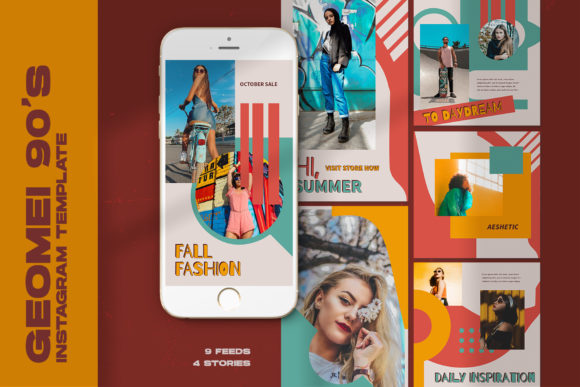
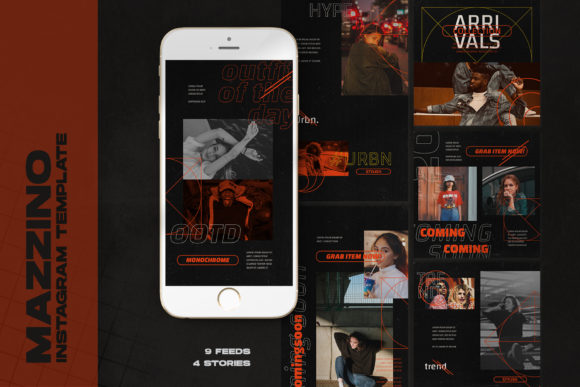
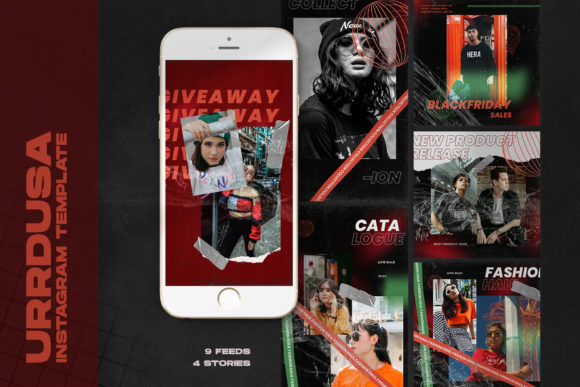
Some templates may include multiple layouts, such as nine posts and four stories, allowing users to maintain consistency across their entire Instagram profile.
Easy to Use
One of the main advantages of Instagram templates is their ease of use. Even if you're not a professional designer, you can customize these templates using basic tools. The intuitive layout and clear instructions make it simple to adjust text, images, and other elements to suit your needs.
All Text Editable
Most Instagram templates include editable text layers, which means you can change the wording, font, size, and color using the text tool. This feature is especially useful for adding captions, hashtags, or branding elements to your posts.
Image Model Not Included
It's important to note that while Instagram templates provide the structure and design, they typically do not include the actual image models. This means that users must supply their own images or source them from stock photo websites. However, this also gives you more flexibility to choose visuals that best represent your brand or message.
The Significance of Instagram Templates in Modern Work and Creativity
Instagram templates play a vital role in modern digital workflows, particularly in marketing, content creation, and social media management. By providing a consistent visual style, these templates help businesses build a strong brand identity and engage their audience more effectively.
For creative professionals, such as graphic designers and photographers, Instagram templates offer a way to showcase their work in a cohesive and professional manner. They can also serve as a starting point for custom designs, saving time and effort while maintaining quality.
How to Choose the Right Instagram Template
With so many templates available online, it's essential to choose one that meets your specific needs. Consider factors such as the template's resolution, color mode, and layout options. Also, look for templates that are easy to edit and compatible with your design software.
Additionally, check whether the template includes all the necessary elements, such as text layers and image placeholders. Avoid templates that require advanced design skills unless you're comfortable with them.
Common Misconceptions About Instagram Templates
There are several misconceptions about Instagram templates that can lead to confusion. One common misunderstanding is that templates limit creativity. In reality, they provide a foundation that you can build upon, allowing you to focus on the unique aspects of your content rather than the technical details.
Another misconception is that all templates are the same. In fact, there are numerous variations available, each tailored to different industries, styles, and purposes. Taking the time to explore different options can help you find the perfect template for your needs.
Conclusion
Instagram templates are a valuable tool for anyone looking to create high-quality, consistent content for their social media profiles. With features like Smart Objects, editable text, and proper resolution settings, these templates simplify the design process while maintaining professional standards. Whether you're a beginner or an experienced designer, understanding how to use and customize Instagram templates can greatly enhance your digital presence and creativity.